

Communication and coordination now consume nearly 49% of the average executive workday, according to Microsoft’s 2023 Work Trend Index. That figure does not measure low-value time. It measures the time your highest-compensated professional spends routing information rather than generating strategic output. At a C-suite compensation level of $400,000 to $600,000 per year, that 49% represents $196,000 to $294,000 in annual executive capacity consumed by coordination overhead before a single strategic decision gets made.
A Remote Executive Assistant does not reduce that overhead incrementally. A well-placed Remote EA eliminates the category by taking ownership of the communication surface, calendar architecture, and information triage that currently routes through the executive by default.
This article covers what a Remote EA actually does at an operational level, how the role differs fundamentally from task-based VA support, what the hiring and onboarding framework looks like, and how to calculate the exact economic return the placement generates at your compensation tier.

The Executive Bottleneck: When the Leader Becomes the Constraint
Eliyahu Goldratt’s Theory of Constraints, introduced in “The Goal” in 1984, established that every system produces at the rate of its slowest constraint. Increasing throughput everywhere except the constraint does not improve total output. The constraint determines the ceiling.
In most scaling organizations, the executive becomes the constraint. When an executive routes every decision, update, and approval through themselves, they become the organization’s primary bottleneck. Projects stall waiting for sign-off. Teams hold meetings to surface questions they cannot resolve without executive input. Strategic priorities compete with operational noise for the same finite attention window. The organization’s throughput caps at whatever the executive can personally process.
This is not a time management problem. It is an organizational design problem. And the fix is not a productivity system. It is structural: placing a Remote executive assistant who intercepts the information and decision layer before it reaches the executive’s desk, filters it against documented priorities, and routes only the items that genuinely require the executive’s specific judgment.
Goldratt’s solution to a manufacturing constraint was to subordinate everything else to maximizing the constraint’s output. In executive terms: design the entire operational support structure to maximize what the executive produces during the hours they work. A Remote EA is that support structure.
What Communication Fragmentation Actually Costs
The volume problem is measurable. Slack’s Workforce Lab 2023 research found that workers switch between apps and tools an average of 1,100 times per day, with context-switching events generating the same attention fragmentation as a physical interruption. McKinsey’s 2023 “State of Organizations” report identified that executives at scaling companies spend 40 to 45% of their week in synchronous communication that could be handled asynchronously by a trained support layer.
Gloria Mark’s research on attention residue, documented in her 2023 book “Attention Span,” established that every context switch leaves a cognitive trace that degrades performance on the next task, regardless of its importance. An executive fielding 40 to 60 communication events per day does not experience those events sequentially and then move cleanly to strategic work. They carry the residue of every interruption forward into every subsequent decision.
The Radicati Group’s 2024 Email Statistics Report confirmed that business users send and receive an average of 121 emails per day. Add Slack messages, Teams notifications, text messages, and direct meeting requests, and the total communication surface for a senior executive routinely exceeds 200 events per day. No executive processes that volume personally without paying a cognitive tax that degrades their most valuable output.
A Remote EA does not help the executive manage that volume better. The EA absorbs it, processes it, and delivers the residue that actually requires the executive’s attention: typically 10 to 20 items per day rather than 200.
Reactive Task-Runner VA vs Remote Executive Assistant: The Distinction That Determines Outcomes
The market uses “virtual assistant” and “executive assistant” interchangeably. The two roles deliver categorically different results. Using the wrong model to solve an executive bottleneck problem produces frustration, not leverage.
| Factor | Reactive Task-Runner VA | Remote Executive Assistant |
|---|---|---|
| Work mode | Responds to assigned tasks | Anticipates and intercepts friction |
| Decision involvement | None | Filters and routes decisions appropriately |
| Communication style | Waits for instruction | Proactively manages the full information surface |
| SOP involvement | Follows existing SOPs | Builds, maintains, and scales SOP architecture |
| Calendar management | Books meetings when asked | Engineers the weekly schedule for peak cognitive output |
| AI tool usage | Basic tool operation | Operates as AI Copilot Manager |
| Value generation | Saves specific task time | Multiplies the total executive output |
| Onboarding requirement | Minimal | Disciplined 30-day alignment process |
A task-runner VA does not solve the bottleneck problem because the executive still manages the task-runner. Every task assigned requires the executive to identify it, specify it, and review the output. The cognitive load of managing the VA adds to the executive’s existing cognitive load rather than removing any of it.
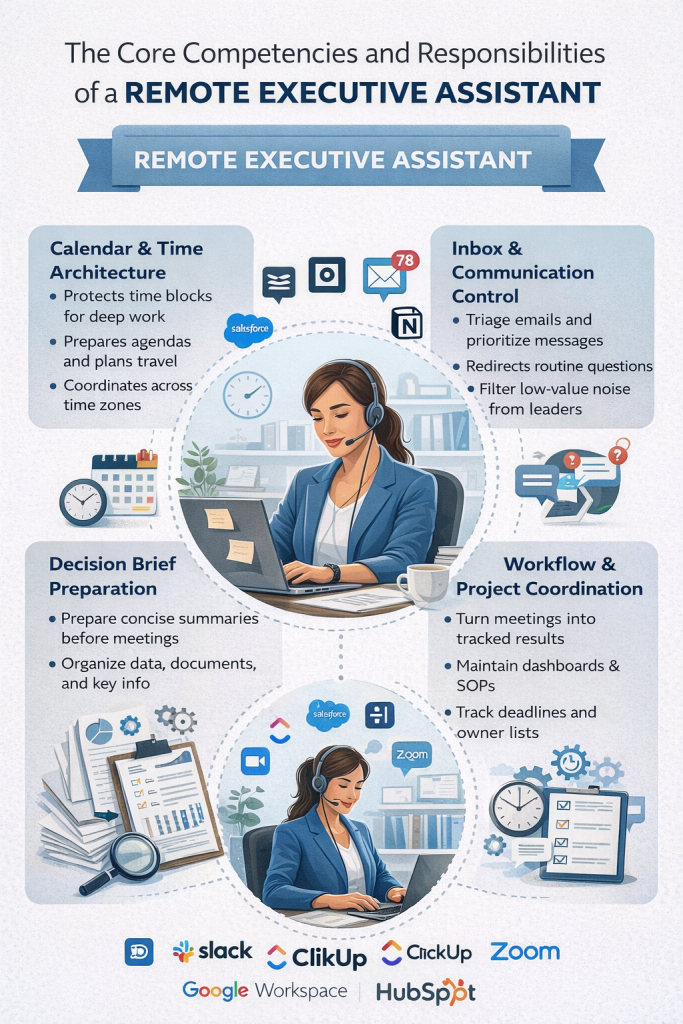
A Remote EA takes ownership of entire function categories: inbox, calendar, stakeholder communication, SOP documentation, and decision triage. The executive stops managing a function. The EA owns it.
Inbox Architecture and Asynchronous Triage
Modern distributed organizations generate massive communication volume across fragmented channels. An elite Remote EA actively intercepts this surface layer, configuring structured triage workflows within Google Workspace, Slack, and HubSpot. Rather than acting as a passive reader, the EA continuously filters incoming traffic, executing immediate delegation loops to route operational questions to middle management while reserving only high-impact escalations for the executive’s attention.
The EA applies an information hierarchy to the inbox: a documented classification system that determines the response standard, urgency level, and appropriate handler for every message type the executive receives. Tier 1 messages, those requiring the executive’s specific judgment, reach the executive through the daily digest. Tier 2 messages, those requiring action but not executive-level judgment, route to the appropriate team member with a drafted response or brief. Tier 3 messages, routine information, and updates get logged, filed, or handled directly by the EA without touching the executive’s attention at all.
The result: an executive who previously spent 90 to 120 minutes per day on inbox management now spends 20 to 30 minutes reviewing a structured digest. The Zeigarnik effect, the cognitive drag of open communication loops documented by psychologist Bluma Zeigarnik, stops applying to the executive’s working memory because the EA closes every loop before the executive encounters it.

Calendar Engineering: Designing the Week as a Performance System
An elite Remote EA treats the executive’s calendar as an organizational performance system, not a scheduling record. The EA applies time blocking principles to protect deep work windows during the executive’s peak cognitive hours. They cluster similar meeting types to reduce context-switching costs. They build mandatory recovery buffers after board sessions, investor reviews, and all-hands meetings that consistently deplete executive cognitive reserves.
Meeting hygiene, the systematic audit and culling of recurring meetings that no longer generate proportionate value, becomes an ongoing EA function rather than a quarterly executive task that never gets prioritized. The EA reviews recurring calendar commitments quarterly, identifies which meetings the executive can exit, delegate, or convert to asynchronous updates, and restructures the schedule accordingly.
The EA also enforces the executive’s stated focus priorities against incoming calendar requests. When a low-value meeting request arrives, the EA declines or redirects it using the executive’s documented criteria, without consuming the executive’s attention for the decision. The executive defines the rules once during onboarding. The EA applies them continuously.
SOP Architecture: Building Institutional Memory
An elite Remote EA acts as an institutional archivist, building, maintaining, and scaling the organization’s Standard Operating Procedures rather than simply following the ones that already exist.
Most scaling companies operate with critical processes that live in a founder’s or executive’s head. When the executive is unavailable, those processes stall. When team members turn over, institutional knowledge disappears with them. The Remote EA documents and systematizes these processes progressively, creating a living SOP library that allows the organization to operate independently of any single person’s memory.
The practical scope of this function includes process documentation for recurring executive workflows, communication templates for high-frequency stakeholder interaction types, decision trees for scenarios the executive handles repeatedly, and onboarding documentation for new team members entering functions the EA manages. Platforms including Notion, Confluence, and ClickUp serve as the infrastructure for this documentation layer. The EA builds and maintains it as an ongoing function, not a one-time project.
This function generates compounding organizational value. The SOP library that the EA builds in year one reduces executive involvement in operational decisions in year two. The institutional knowledge documented during the EA’s tenure survives team transitions in year three. The Remote EA contributes to organizational resilience, not just executive efficiency.

Decision Brief Preparation: Reducing Decision Latency
Every decision the executive makes requires context assembly before the judgment call happens. Gathering the relevant information, reviewing the background, and identifying the key variables consume significant time and cognitive effort that the EA can absorb entirely.
An elite Remote EA prepares structured decision briefs for every significant choice on the executive’s agenda. A board meeting brief synthesizes the financial data, the key agenda items, and the three decisions the board needs to make, presented in a format the executive can review in 15 minutes rather than 90. An investor call brief summarizes the investor’s portfolio context, recent interactions, key questions likely to arise, and the executive’s documented talking points for the current period. A hiring decision brief compares candidates against the documented role criteria, summarizes references, and presents a recommendation with supporting evidence for the executive’s review.
Decision latency, the gap between when a decision becomes necessary and when it gets made, degrades organizational throughput. When the executive lacks the information assembly support to make decisions quickly, a decision queue is created. Queued decisions create downstream delays across every team waiting for direction. A Remote EA eliminates decision latency by ensuring the executive arrives at every decision with the context already organized.
The AI Copilot Manager Function in 2026
Remote EAs placed at the executive level in 2026 carry an additional function that did not exist at scale three years ago: AI workflow management.
Most executives now operate with AI tools embedded in their workflows: Claude, ChatGPT, Microsoft Copilot, or domain-specific AI applications. These tools generate capability and simultaneously generate management overhead. Prompt engineering, output auditing, hallucination detection, and workflow integration each consume time that defaults to the executive when no dedicated support layer handles it.
An elite Remote EA operates as an AI Copilot Manager: formatting precise data prompts with the executive’s context embedded, auditing AI output for factual errors and fabricated citations, synthesizing LLM summaries of long documents into decision-ready formats, and maintaining a prompt library for recurring executive communication tasks. The executive receives polished, verified output rather than raw AI drafts requiring correction and formatting.
This function compounds the EA’s value as AI adoption accelerates. The organization gains the full productivity benefit of AI-augmented workflows without adding AI management overhead to the executive’s cognitive load.
When to Hire a Remote EA: The Operational Indicators
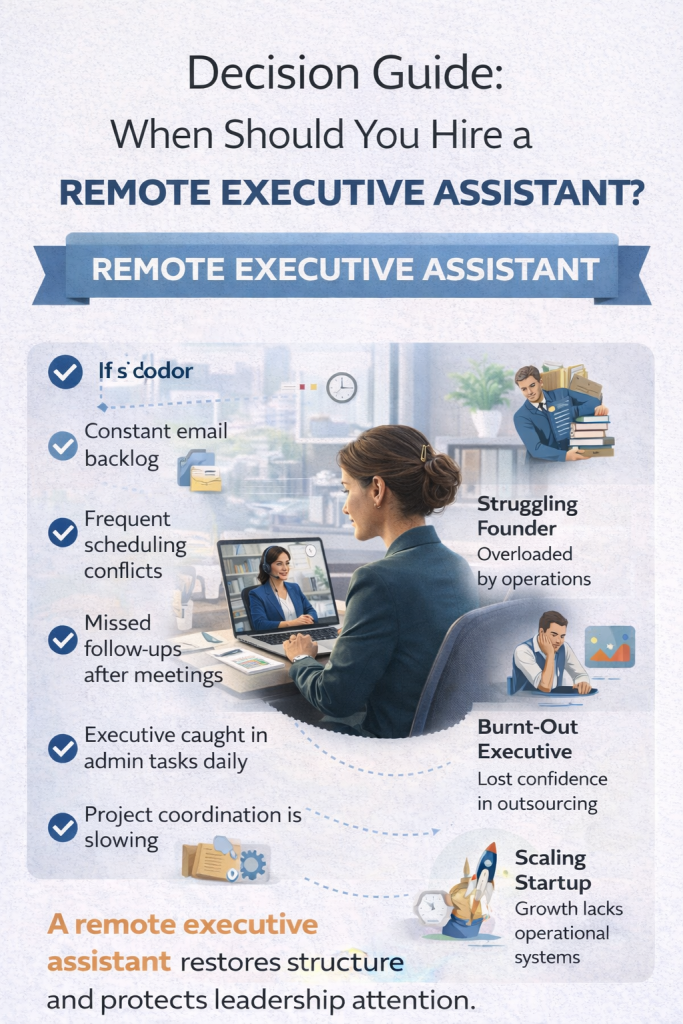
Organizations reach the inflection point for a Remote EA placement when executive bottleneck symptoms appear consistently across multiple functions simultaneously.
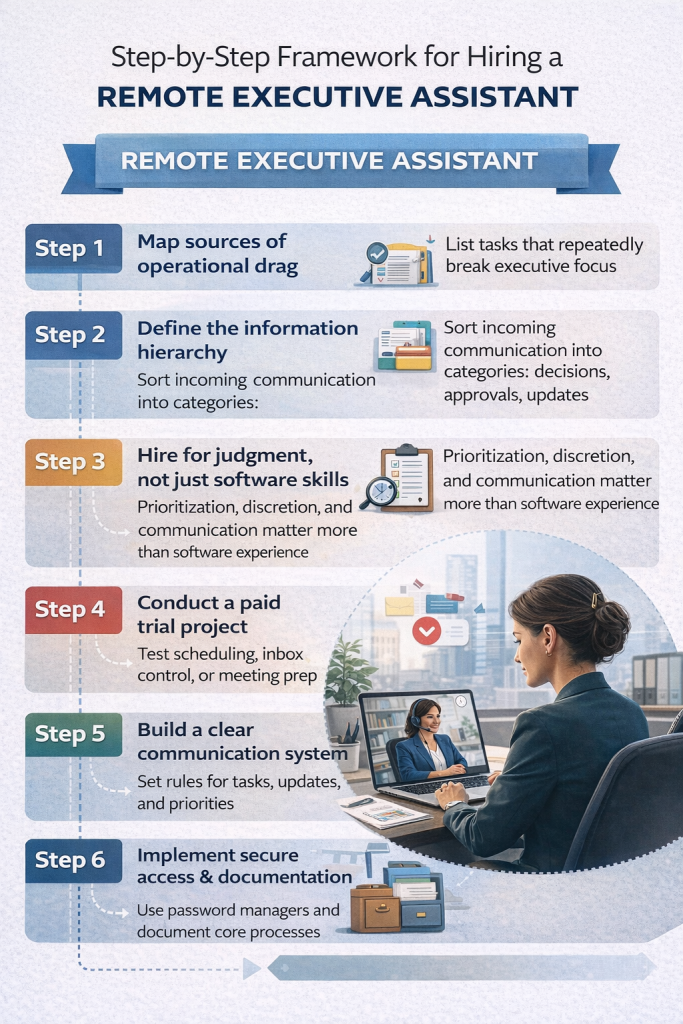
The clearest indicators are an email backlog that grows faster than the executive can clear it, scheduling conflicts that require the executive’s personal intervention to resolve, missed stakeholder follow-ups that generate relationship friction, and recurring decisions that stall because the information assembly has not been completed. Any one of these symptoms signals operational drag. All four appearing simultaneously signal a structural constraint that a Remote EA placement directly addresses.
The less obvious indicator is strategic output quality. When executives report difficulty accessing genuine deep work, consistently arriving at high-stakes decisions without adequate preparation time, or ending each week without completing the strategic work they identified as the week’s priority, the communication and coordination overhead has grown beyond what the executive can manage while maintaining performance.
The placement decision becomes clearest when the executive calculates the annual cost of the bottleneck against the annual cost of the solution. At C-suite compensation levels, the math resolves immediately.
The Hiring Framework: What to Prioritize
Six decisions determine whether a Remote EA placement succeeds or fails from the start.
- Identify the operational drag sources before writing the job brief. A job brief that says “help me with emails and calendar” produces a transactional hire. A job brief that says “own the inbox triage system, manage the stakeholder communication matrix, and document the executive decision workflows” produces a strategic hire. The specificity of the brief determines the caliber of candidates it attracts.
- Define the information hierarchy before the EA starts. The communication triage system requires the executive to document their priority contacts, response standards, escalation thresholds, and communication preferences in writing. This documentation exists for the EA’s use, not the executive’s convenience. Onboarding without it forces the EA to infer the rules rather than apply them, extending the alignment period by weeks.
- Hire for judgment over software proficiency. A candidate who has used every tool in your stack but exercises poor judgment on escalation decisions will damage stakeholder relationships. A candidate with strong judgment who needs to learn ClickUp will adapt in a week. Evaluate judgment directly during the hiring process: present real-world scenarios and assess how the candidate reasons through them.
- Run a paid trial project before a full engagement. A two-week paid project covering a defined scope of actual work reveals operating style, communication patterns, and attention to detail more accurately than any interview process. The trial should involve real tasks, real access, and real feedback.
- Establish communication protocols on day one. Define how the executive communicates with the EA: which channel carries which type of message, what response time the executive expects for different request types, and how the EA surfaces decisions that need executive input. Ambiguous communication protocols generate overhead rather than removing it.
- Implement secure access management from the start. The Remote EA requires access to email, calendar, project management tools, and potentially financial systems and CRM platforms. Role-based access control, documented in writing before access is granted, protects sensitive information while giving the EA the tools to function effectively. This is not an optional administrative step. It is a foundational security requirement for a role with this level of organizational access.
The Economic Equation: What 15 Recovered Hours Actually Generates
The standard framing for Remote EA ROI measures hours recovered. The more accurate framing measures what those hours generate when they return to the executive’s control.
At $200,000 to $300,000 annual compensation (Senior Director or VP):
- Effective hourly rate: $100 to $150
- 15 hours per week recovered: $78,000 to $117,000 in annualized executive capacity
- Remote EA fully-loaded cost: $42,000 to $65,000 per year
- Leverage ratio: 1.2x to 2.8x return on EA cost from recovered capacity alone
At $350,000 to $500,000 annual compensation (CFO, CMO, COO):
- Effective hourly rate: $175 to $250
- 15 hours per week recovered: $136,500 to $195,000 in annualized executive capacity
- Remote EA fully-loaded cost: $50,000 to $75,000 per year
- Leverage ratio: 1.8x to 3.9x return on EA cost from recovered capacity alone
At $500,000 to $800,000 annual compensation (CEO or Founder with equity):
- Effective hourly rate: $250 to $400
- 15 hours per week recovered: $195,000 to $312,000 in annualized executive capacity
- Remote EA fully-loaded cost: $55,000 to $75,000 per year
- Leverage ratio: 2.6x to 5.7x return on EA cost from recovered capacity alone
Revenue-leverage framing compounds the argument further. A CEO who generates $3,000,000 in annual revenue output operates at an effective revenue rate of $1,500 per working hour across 2,000 hours per year. Fifteen hours per week returned to revenue-generating strategic work represents $1,170,000 in annualized revenue potential, recovered from a $55,000 to $75,000 investment.
The math works at every compensation tier. The leverage ratio scales with executive seniority. The placement decision becomes a straightforward capital allocation question rather than a headcount debate.
Frequently Asked Questions
What separates a Remote Executive Assistant from a virtual assistant for scaling purposes?
A VA executes tasks that the executive assigns. A Remote EA takes ownership of entire operational categories: inbox, calendar, stakeholder communication, SOP documentation, and decision triage. The EA works ahead of the executive to prevent friction rather than responding to instructions after friction occurs. Scaling requires the latter. Task execution does not remove the executive from the bottleneck position. Strategic EA ownership does.
What is the right scope for a Remote EA’s first 30 days?
The first 30 days should focus on three outputs: a documented information hierarchy covering communication triage rules, an audited calendar with time-blocking architecture applied, and a stakeholder map covering the executive’s 20 most important ongoing relationships. These three deliverables give the EA the operating framework to handle 80 percent of routine decisions independently. Everything beyond that builds on this foundation progressively.
How does a Remote EA handle confidential information and secure systems access?
Role-based access control governs what tools and data the EA can access. A Remote EA at the executive level typically needs access to email, calendar, project management platforms, and specific communication channels. Access to financial systems, CRM records, and board materials requires documented authorization and appropriate security protocols. ExecAssistants.org placement engagements include a security access framework as a standard element of onboarding rather than an afterthought.
Can a Remote EA manage AI tools and workflow automation?
Yes, and at the elite placement level, AI workflow management is now a standard function. The EA formats precise prompts for Claude, ChatGPT, or Microsoft Copilot, audits AI output for errors and hallucinations, synthesizes LLM summaries into decision-ready formats, and maintains the organization’s prompt library for recurring executive communication tasks. The executive gains the full productivity benefit of AI-augmented workflows without absorbing any of the management overhead those workflows generate.
What does the onboarding process look like, and how long does the alignment period take?
A structured onboarding process produces measurable results within 30 to 45 days. The critical elements are a documented decision framework covering what the EA resolves independently versus escalates, a stakeholder map covering key relationships and their appropriate response standards, and inbox triage protocols covering message classification and routing rules. Placements that skip these elements take 60 to 90 days to reach equivalent performance. The onboarding investment in week one determines the speed of the entire ramp.