
A founder signs up for an AI scheduling app, watches it auto-block two hours of “deep work” on a Tuesday, and starts wondering whether they need a human assistant at all. Then a board member emails asking to move a call, a client wants to discuss something sensitive before the meeting, and the founder realizes the tool can defend a calendar slot, but it can’t decide who deserves that slot in the first place. This article breaks down exactly where AI scheduling tools like Motion and Reclaim earn their keep, and exactly where the job still requires a human making judgment calls a calendar algorithm was never built to make.
Key Takeaways for Business Leaders
- AI scheduling tools automate routine, rule-based calendar tasks well. They don’t handle ambiguous, high-stakes, or political scheduling decisions, a gap that follows a well-documented pattern in labor economics research on automation.
- Herbert Simon’s concept of bounded rationality explains the core limitation directly: an algorithm can only act within the rules it’s given, while a human assistant reasons past incomplete information using context the software was never fed.
- Daniel Kahneman’s distinction between fast, automatic thinking and slow, deliberate thinking maps almost exactly onto the line between what scheduling software handles and what still needs a person.
- Automation doesn’t fix a disorganized calendar; it amplifies whatever process already exists, a principle Bill Gates described decades before AI scheduling tools existed.
- The strongest setups don’t pick one over the other. A virtual executive assistant using Motion or Reclaim as leverage outperforms either the tool alone or a human working without it.
- Confidential communication, executive representation, and cross-functional judgment sit entirely outside what any scheduling algorithm can do, regardless of how sophisticated the underlying AI becomes.

What Do AI Scheduling Tools Like Motion and Reclaim Actually Do?
Motion: Automated Time-Blocking for Tasks and Meetings
Motion works by taking a list of tasks and deadlines and automatically slotting them into open calendar time, rearranging the plan in real time as new meetings or priorities appear. It treats a day as a bin-packing problem: given fixed constraints, deadlines, meeting times, task durations, find the arrangement that fits everything in. That’s a genuinely useful function, and it’s also a precisely defined, rule-based one.
Reclaim.ai: Habit Scheduling and Smart Calendar Defense
Reclaim.ai layers onto Google Calendar to protect recurring habits, focus time, breaks, and buffers between meetings, automatically moving lower-priority events around fixed commitments as a calendar fills up. It excels at defending time that would otherwise get eaten by the first meeting request that comes along. Like Motion, its core strength is applying a consistent rule to a repetitive problem, not making judgment calls about which commitments actually deserve that protected time in a given week.

What a Virtual Executive Assistant Does That These Tools Don’t
Judgment on Ambiguous, High-Stakes Decisions
An executive assistant doesn’t just fit meetings into open slots. They decide whether a last-minute request from a major client outranks a standing internal sync, whether a board member’s “quick call” actually needs forty-five minutes of prep beforehand, and whether an executive should personally attend a meeting or send someone else instead. None of these are scheduling problems in the algorithmic sense. They’re judgment calls that require understanding relationships, stakes, and unstated context a calendar API has no access to.
Managing Relationships, Not Just Time Slots
A virtual executive assistant also manages the human side of every scheduling decision: the tone of the email declining a meeting request, the follow-up call to smooth over a last-minute cancellation, the read on which stakeholder needs a personal touch versus an automated confirmation. Software can send a polite auto-generated reschedule notice. It can’t manage the relationship consequences of sending the wrong one to the wrong person.
Why Some Tasks Automate and Others Don’t: The Economics of Routine Work
The Autor-Levy-Murnane Task Model
Economists David Autor, Frank Levy, and Richard Murnane published an influential paper in 2003 in the Quarterly Journal of Economics arguing that automation doesn’t replace jobs wholesale; it replaces specific tasks within a job, and it does so unevenly: routine tasks, ones that follow clear, codifiable rules, automate readily, while non-routine tasks, ones requiring flexible judgment, adaptability, and unstructured problem-solving, resist automation far longer. Their model, now widely cited as the ALM framework, explains exactly what’s happening with AI scheduling tools: the routine part of calendar management, slotting tasks into open time, follows codifiable rules and automates well. The non-routine part, deciding what actually deserves priority when two important things collide, doesn’t.
Bounded Rationality: Why an Algorithm Needs Rules, and a Human Doesn’t
Economist Herbert Simon, who won the Nobel Prize in Economics in 1978, described in his 1957 work on decision-making a concept he called bounded rationality: real decision-makers, human or artificial, operate with limited information, limited time, and limited capacity to compute every possible outcome, so they rely on simplified rules to make workable decisions. An AI scheduling tool is bounded rationality made explicit: it operates entirely within the rules a developer coded into it, buffer times, priority tags, working hours. A human assistant is bounded too, but far more flexibly, drawing on context, tone, history with a specific client, and instinct that was never programmed in because it can’t be, not fully.
Fast Thinking vs Slow Thinking: Why Scheduling Software Handles One and an EA Handles Both
Kahneman’s System 1 and System 2
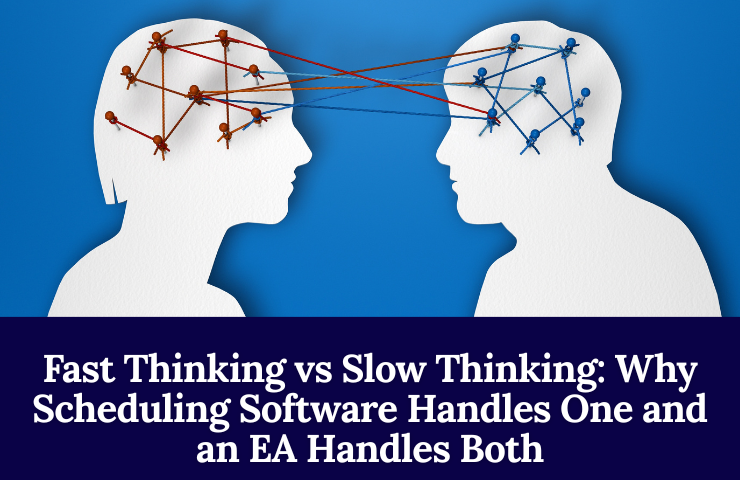
Psychologist Daniel Kahneman, in his 2011 book Thinking, Fast and Slow, described two modes of human thought. System 1 is fast, automatic, and pattern-based, the kind of thinking involved in recognizing a face or following a routine. System 2 is slow, deliberate, and effortful, the kind involved in weighing a difficult tradeoff or reasoning through an unfamiliar problem. Scheduling software operates entirely in System 1 territory: fast, pattern-matched, rule-following. The moments that actually require careful judgment on a calendar, what to reschedule when two obligations conflict, how to handle a sensitive request, sit squarely in System 2, and that’s exactly the territory current scheduling AI can’t reach.
Where AI Scheduling Excels: Pure System 1 Territory
Give an AI scheduler a stable set of rules, protect these hours, auto-decline anything under thirty minutes without prep time, batch these recurring meetings, and it executes that pattern tirelessly and consistently, better than a human doing the same repetitive task by hand every single day.
Where It Breaks Down: Political, Relational, and Judgment-Heavy Scheduling
The moment a scheduling decision touches office politics, an unspoken hierarchy among stakeholders, or a judgment call about how a cancellation will be received, the tool has no System 2 to fall back on. It will follow its rules exactly as written, even when the situation calls for an exception the rules never anticipated.

Automation Amplifies What’s Already There
Bill Gates’s Rule and What It Means for a Messy Calendar
Bill Gates observed, in a widely quoted management principle, that automation applied to an efficient operation magnifies the efficiency, while automation applied to an inefficient operation magnifies the inefficiency. Applied to scheduling: an AI tool layered onto a calendar that already reflects clear priorities makes that clarity faster and more consistent. An AI tool layered onto a calendar with no clear priorities automates the chaos, filling protected time blocks with the wrong things faster than a human would have made the same mistake by hand.
Why AI Tools Work Best in the Hands of Someone Who Already Manages Time Well
This is precisely why the tools tend to work best when a virtual executive assistant is already running the underlying process. The assistant sets the actual priorities: what counts as urgent, who gets fast access, what always needs a buffer beforehand. The AI tool then executes that structure at a speed and consistency no human could match manually, all day, every day. Without that underlying judgment already in place, the software has nothing good to amplify.
Complements, Not Competitors: How the Best Setups Actually Use Both
Brynjolfsson and McAfee on Human-Machine Complementarity
Economists Erik Brynjolfsson and Andrew McAfee, in their research beginning with the 2011 paper “Race Against the Machine” and continued in their 2014 book The Second Machine Age, argued that the most productive outcomes from digital technology come not from machines replacing human judgment but from machines and humans working in tandem, with technology absorbing the repetitive load so human judgment can focus where it actually adds value. Scheduling AI fits their model closely: it’s not competing with an executive assistant for the same work; it’s absorbing the mechanical part of the job so the assistant’s judgment gets spent on the parts that actually need it.
A Virtual Executive Assistant Using AI Scheduling Tools as Leverage, Not a Replacement
In practice, this looks like an assistant setting up Reclaim to auto-defend focus blocks and using Motion to auto-arrange lower-stakes tasks, while personally handling every scheduling decision that involves a VIP client, a sensitive negotiation, or a judgment call about priority. The tool handles volume. The assistant handles the decisions that actually carry consequences.
What AI Scheduling Tools Can’t Do at All
Confidential and Sensitive Communication
No scheduling algorithm drafts a diplomatically worded email declining a request from someone the executive doesn’t want to offend, or handles a confidential conversation about why a meeting needs to be postponed without revealing the real reason. That work requires a person trusted with context the tool was never given, and often shouldn’t be given.
Cross-Functional Judgment and Executive Representation
An executive assistant sometimes represents the executive directly in a conversation, deciding in real time how to answer a question on the executive’s behalf. Scheduling software has no equivalent capability and isn’t designed to develop one. It manages time. It does not manage judgment, trust, or representation, the exact qualities that define the executive assistant role in the first place.

Which One Does Your Business Actually Need?
When a Scheduling Tool Alone Is Enough
If your calendar problem is purely mechanical- too many meetings colliding, no protected focus time, recurring tasks falling through the cracks- and you already know your own priorities clearly enough to set the rules yourself, a tool like Motion or Reclaim may close that gap on its own.
When You Need a Virtual Executive Assistant Instead, or as Well
If the actual problem is deciding what deserves your time in the first place, managing the politics and relationships behind every scheduling request, or handling communication that requires real discretion, no scheduling algorithm closes that gap, no matter how advanced the underlying AI becomes. A virtual executive assistant brings the judgment layer these tools were never built to provide, and increasingly, the strongest hires use tools like Motion and Reclaim themselves, as leverage for the mechanical parts of the job, freeing their own judgment for the parts that actually require it.
The question isn’t whether AI scheduling software is good. The tools are genuinely well-built for what they do. The question is whether your actual bottleneck is mechanical or judgment-based, and for most growing businesses, it’s both, which is exactly why the strongest setup pairs a human assistant with the tools rather than choosing between them. Book a discovery call to talk through where your own calendar problem actually sits.