

Every executive operates through a technology infrastructure, whether they designed it intentionally or not. An inbox, a calendar, a project tracker, a communication tool: These platforms determine how information reaches the executive, how decisions move through the organization, and how fast the business responds to complexity. The difference between an executive who leads effectively and one who drowns in operational noise is almost always the quality of the system behind them, and the person who builds and governs that system.
That person is the Executive Assistant.
This article addresses the EA as the systems architect of the executive tech stack. The EA who understands how to configure knowledge management databases, build inbox triage frameworks, implement webhook-driven automation, and enforce access control patterns across a suite of integrated platforms does not simply support the executive. They build the operational infrastructure that determines how the executive performs at scale. The executive tech stack integrates software applications, automation frameworks, and AI tools into a single workflow engine. When the EA governs that engine, it improves business efficiency at every level of the organization.
What Is an Executive Tech Stack?
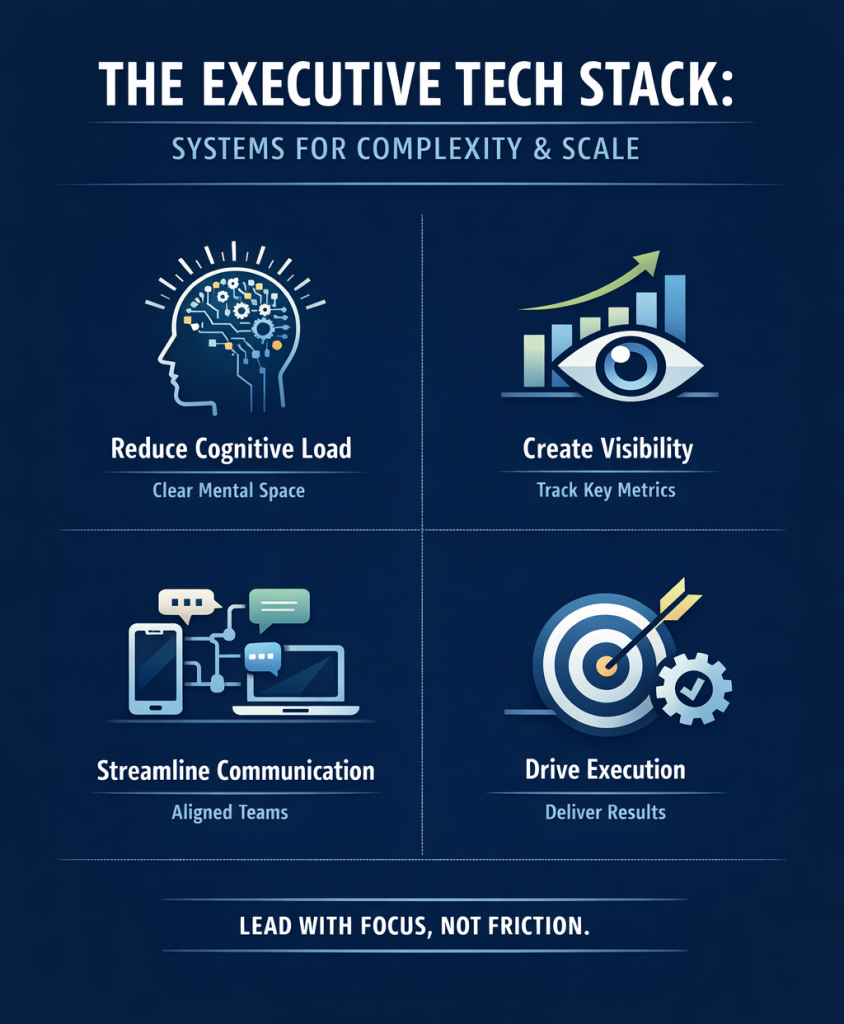
The executive tech stack integrates software applications, automation frameworks, and AI-assisted tools into a unified system for managing executive-level operations, communication, decision-making, and information flow. Each application in the stack automates a distinct operational silo. Each platform connects to the others through API integrations, webhook triggers, and shared data protocols. Together, they form the operational nervous system for the executive function.
The executive tech stack covers six core categories: Knowledge management, calendar architecture, inbox and communication management, project oversight, asynchronous briefing systems, and workflow automation. Each category requires configuration, ongoing governance, and integration with adjacent platforms. Without deliberate architecture, these tools operate in silos, forcing the executive to switch context continuously across disconnected platforms. This fragmented ecosystem creates information scavenger hunts that directly drive executive stress and decision fatigue.
Human-in-the-loop (HITL) architecture integrates automated data processing with human executive judgment to eliminate operational errors. The HITL model assigns repetitive, rule-based, and data-intensive tasks to software systems, and assigns judgment-dependent decisions (political risk assessment, relationship-sensitive communication, crisis escalation, and stakeholder prioritization) to the EA. While software applications accelerate specific tasks, the Executive Assistant governs the enterprise tech stack to protect corporate priorities.
Why the EA Architects the Stack, Not the CEO
Most executives select tools based on industry recommendations, peer referrals, or habit. They choose Slack because their industry uses it, Notion because a board member mentioned it, and Zapier because the operations team requested it. They rarely build an integrated system. The result is tool sprawl: a collection of platforms that each perform their individual function but share no data, trigger no cross-boundary automation, and require the executive to bridge every gap manually.
The EA designs the architecture that the CEO never had time to plan. The EA configures the relational database structure in Notion, maps the API endpoint connections in Zapier, sets the calendar density parameters in Motion, and deploys the split-inbox architecture in Superhuman. The EA then maintains the system, updates it as the executive’s priorities shift, and serves as the human judgment layer that automation cannot replace.
Core Components of the Executive Tech Stack
Knowledge Management: Notion and Coda
The Executive Assistant configures the knowledge management system (KMS) as the central relational repository for all corporate data. Rather than allowing documentation to scatter across email threads, shared drives, and chat history, the EA builds a centralized command hub that links organizational strategy directly to day-to-day operations.
In Notion, the EA builds the database architecture using relational database links and rollup formulas that aggregate data across parent and child databases automatically. A board meeting database links relationally to the action items database: when the EA creates an action item from a board discussion, the rollup formula in the board meeting view updates automatically to reflect open items, owners, and due dates without manual entry. Formula properties apply conditional logic to surface overdue items, flag decisions requiring the executive’s sign-off, and calculate completion rates across project portfolios.
The EA manages access control patterns across the Notion workspace, assigning permission tiers by role and sensitivity. Board materials sit in restricted pages accessible only to board members and the EA. Operational guides and SOPs live in shared team spaces accessible to department heads. Public-facing templates publish to an external URL. The EA maintains these permission structures, adjusting access as headcount changes and project sensitivity shifts.
Asynchronous decision logs document strategic context that would otherwise exist only in the executive’s memory. The EA maintains a decision repository in Notion using structured markdown documentation that records the context of each significant decision, the stakeholders involved, the rationale applied, and the outcome. When a new team member asks why the organization chose a specific vendor three years ago, the EA surfaces the decision log rather than interrupting the CEO.
Coda adds formula-driven automation that Notion cannot match for complex data workflows. The EA uses Coda’s button actions and formula packs to automate document generation, trigger status updates across project tables, and push data to connected applications through the Coda API.
Calendar Architecture: Motion and Reclaim.ai
The EA uses AI-powered scheduling tools to build a defensive calendar structure that protects executive focus time rather than simply filling available slots.
Motion and Reclaim.ai both apply machine learning to calendar density parameters, analyzing the executive’s scheduling history, meeting types, and stated focus priorities to optimize daily and weekly schedules automatically. The EA configures the scheduling rules: deep work blocks sit in the calendar as high-priority, immovable commitments. Buffer-time automation inserts recovery windows between high-intensity sessions such as board calls and investor presentations. Smart-routing rules direct low-priority meeting requests to slots the algorithm identifies as low-cognitive-cost periods, typically late afternoon, rather than consuming the executive’s peak performance window.
Defensive scheduling refers to the EA’s practice of pre-blocking calendar time for strategic work before inbound meeting requests fill the available space. The EA blocks time at the start of each week based on the executive’s Zone 1 priorities. Asynchronous SLA commitments define how long the EA takes to respond to scheduling requests (typically four business hours) without those requests generating real-time interruptions.
Timezone parity management becomes critical for distributed teams and international executive travel. The EA configures timezone-aware scheduling rules and maintains a timezone reference dashboard in Notion that lists every key stakeholder’s local time, standing availability windows, and preferred meeting format.
Inbox Triage Framework: Superhuman and Missive
The EA builds a high-velocity communication engine using advanced email clients rather than operating the inbox as a reactive backlog.
Superhuman and Missive both support a split-inbox architecture that partitions the incoming message stream into distinct priority horizons. The EA configures filters that automatically separate investor and board communications (Priority 1), client and partner correspondence (Priority 2), internal team messages (Priority 3), and newsletters or automated notifications (Archive). The executive sees only Priority 1 and Priority 2 in the primary inbox view—everything else the EA processes independently within defined SLA windows.
Shared inbox workspaces in Missive allow the EA to manage conversations on the executive’s behalf without requiring full account access. The EA handles vendor correspondence, interview scheduling, and introductory outreach through the shared workspace, maintaining the executive’s voice through custom snippet macros: pre-drafted, voice-aligned response templates that the EA deploys for recurring communication types. The macro library reduces the response cycle for routine correspondence from minutes to seconds.
Alias routing allows the EA to manage multiple executive email identities from a single interface. The EA assigns each alias its own filter rules, response templates, and SLA commitment. When a message arrives at the investor relations alias, Missive routes it to the EA’s priority queue with a classification tag that triggers the pre-built response workflow.
Ghost-writing authority sits at the center of the inbox triage framework. The EA drafts all outbound correspondence in the executive’s voice, sending directly for routine communications and flagging only sensitive, relationship-critical messages for executive review. This structure converts inbox management from a reactive daily burden into a proactive, scheduled EA-owned workflow with measurable throughput.
Project Oversight: Asana and ClickUp
The EA configures project management platforms to give the executive real-time organizational visibility without requiring micromanagement involvement.
In ClickUp, the EA builds a hierarchy of Spaces (business units), Folders (functional areas), and Lists (active projects) that mirrors the organization’s reporting structure. Custom fields track project status, owner, due date, risk level, and cross-functional dependencies. The EA configures dashboard views that aggregate this data for the executive, surfacing only red-status items and upcoming critical path milestones rather than complete task inventories.
Dependency mapping prevents timeline failures that would otherwise surface only when a deadline has passed. The EA maps task dependencies explicitly in Asana, identifying which deliverables block downstream work and flagging dependency violations as they occur. The executive receives a weekly briefing document from the EA covering blocked items, revised completion forecasts, and resource constraints, rather than attending status meetings to extract the same information manually.
Asynchronous Communication: Slack and Loom
The EA architects the Slack channel structure to eliminate the noise that characterizes unmanaged workspace deployments.
The EA applies a channel taxonomy: Project channels (one per active initiative, archived on completion), department channels (one per function, for operational coordination), announcement channels (read-only broadcasts from leadership), and direct message protocols with a defined response SLA for each contact tier. The EA configures notification settings for the executive, suppressing all channels except those flagged as executive-priority, which route through a dedicated EA-managed channel where the EA curates incoming messages before they reach the executive.
Loom replaces status meetings for context-heavy briefings. The EA records a weekly briefing covering decisions made in the prior week, decisions pending executive review, and upcoming priorities requiring attention. The briefing runs five to eight minutes and links directly to supporting documentation in Notion. Loom’s comment and timestamp features allow the executive to drop questions directly onto the relevant briefing moment, which the EA addresses asynchronously within the defined SLA.
Workflow Automation: Zapier and Make
The EA governs the automation layer that connects every platform in the stack through API integrations and webhook-driven workflows.
Webhook triggers fire events between applications in real time. The virtual EA configures a webhook in Calendly that fires when a new meeting is booked: the trigger pushes the attendee’s contact information to HubSpot, creates a preparation task in ClickUp assigned to the EA, and sends the executive a Notion-linked briefing document template. The entire sequence runs without human input after the EA builds and tests the workflow.
JSON parsing transforms raw API response data into structured records that populate Notion databases, ClickUp tasks, or Slack notifications. The remote-based EA configures Make to parse JSON from the CRM when a deal stage changes, extract the relevant field values (deal name, owner, revenue value, close date), and post a formatted update to the executive’s deal-tracking Slack channel.
Conditional routing logic allows the automation to make decisions based on data values. The EA configures a Make workflow that evaluates every inbound form submission. If the revenue value field exceeds the defined threshold, the workflow routes the submission to the executive’s Priority 1 inbox and creates a ClickUp task. If it falls below the threshold, it routes to the EA’s queue. The executive’s attention is routed automatically based on pre-defined criteria rather than manual triage.
Multi-step filtration prevents automation errors from propagating across the stack. The EA inserts validation steps between each action in complex workflows, checking that the data extracted in step one meets format requirements before it populates a downstream database in step three. When a filter fails, the workflow routes to an EA-monitored error log rather than writing corrupt data into the knowledge management system.
How to Choose the Right Tools for the Executive Tech Stack
The EA applies three criteria when evaluating additions to the executive tech stack.
API connectivity: Every tool in the stack must connect to the hub platform and to the automation layer through a documented API or native webhook support. Legacy applications lacking documented API endpoints enforce manual data entry, defeating the system’s core purpose. The EA reviews the API documentation before recommending any new tool and tests the webhook connection before deploying it in a live workflow.
Access control architecture: Every tool must support role-based access control (RBAC) or comparable permission tiers. The EA must be able to grant and revoke access to specific workspaces, channels, or databases without granting administrative privileges to users who do not need them. Tools that offer only all-or-nothing access create security vulnerabilities in the stack.
Consolidation potential: The EA evaluates whether a new tool replaces an existing platform rather than adding to the stack. A stack of 12 tools with native integrations between all of them outperforms a stack of 20 tools where half connect through manual processes. The EA maintains a tool inventory in Notion that tracks each platform, its function, its API connections, and its consolidation status.
Tool Integration Best Practices
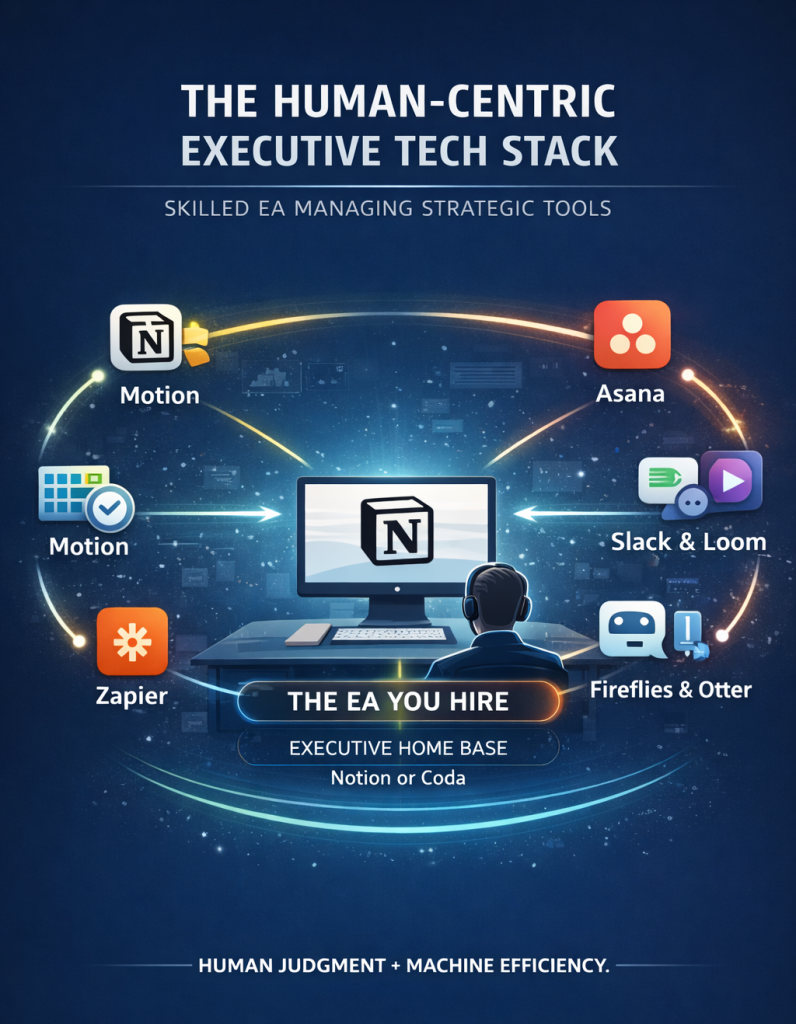
The EA builds the executive tech stack using a hub-and-spoke integration model. One platform (Notion for knowledge management) serves as the single source of truth. Every other platform either pushes data into Notion or pulls data from it through API connections or Zapier/Make workflows.
The EA documents every integration in an integration registry: a Notion database that records the source application, the trigger event, the destination application, the action performed, and the last tested date. This registry allows the EA to audit the stack quarterly, identify broken integrations before they produce errors, and onboard a replacement EA without rebuilding the entire system from memory.
Tool sprawl prevention requires the EA to enforce a formal evaluation process before adding any new platform. The EA presents a one-page brief to the executive covering the new tool’s function, its integration with existing platforms, its security posture, and the existing tool it replaces or supplements.
The Human-in-the-Loop Layer
Human-in-the-loop (HITL) architecture assigns automation responsibility to software and judgment responsibility to the EA. The boundary between the two is explicit, not ambiguous.
Automated transcription engines such as Fireflies.ai and Otter.ai process raw meeting dialogue and produce structured summaries with action items and assigned owners. What these systems cannot do is isolate the politically sensitive comment a board member made off the record, assess whether the CEO’s response signaled frustration or genuine agreement, or determine which action item requires immediate follow-up versus which can wait two weeks. The EA reviews every AI-generated meeting summary before it distributes, annotates it with contextual judgment, and adjusts action item assignments based on organizational dynamics the algorithm never observes.
Zapier workflows route inbound requests based on data field values. They cannot assess whether a low-dollar-value contract from a strategically critical partner deserves escalation that the revenue threshold alone would not trigger. The EA monitors the automation layer’s output and overrides routing decisions when context requires it.
The HITL boundary is the EA’s most valuable operational position. They sit between the automated system and the executive, filtering the automation’s output through judgment that no software platform replicates.
Executive Tech Stack Case Studies
Case Study 1: Configuring the Full Stack for a Series B SaaS Company
A 55-person SaaS company in Austin, Texas, used seven disconnected tools before the EA restructured the stack. The executive spent three hours per week extracting project status from Asana, Slack, and email simultaneously because no single source of truth existed.
The EA mapped the stack onto a Notion hub architecture. She built a relational project database that linked to the CRM pipeline through a Zapier webhook, so every deal stage change automatically updated the project oversight dashboard. She configured Motion with defensive scheduling rules that protected the executive’s mornings for strategic work. She built a split-inbox in Superhuman with snippet macros for the 12 most common email types the executive received weekly.
At the 90-day review, the executive’s context-switching time dropped from three hours to 25 minutes per week. All status information surfaced through the Notion dashboard that the EA maintained.
Case Study 2: Enterprise Governance and Access Control at Scale
A 200-person professional services firm had a CEO whose EA managed email, calendar, and travel but had no access to project management or knowledge management platforms. The result was a CEO who learned about project risks in weekly leadership meetings rather than in real time.
The Exec Assistants placement team configured a ClickUp workspace with executive-level dashboard views that surfaced only red-status projects and critical path violations. The EA received contributor-level access that allowed her to update task statuses, add dependencies, and flag blockers without holding administrator credentials. The EA built a Notion board brief template that aggregated the ClickUp dashboard data, HubSpot pipeline summary, and pending approvals into a single weekly briefing document delivered every Monday at 8 AM via Loom.
Within 60 days, the CEO had full organizational visibility through a five-minute weekly briefing prepared by the EA rather than a 90-minute leadership meeting.
Case Study 3: The Exec Assistants Full-Stack Implementation in Johannesburg
Using the Exec Assistants technology configuration methodology, a 30-person consulting firm in Johannesburg restructured its entire executive operating system across eight weeks. The CEO had no existing stack beyond email and a basic calendar.
The EA configured Notion as the KMS hub, built relational databases for client engagements, team capacity, and decision logs, and connected the system to the company’s accounting software through a Make webhook that updated client billing status automatically when invoice records changed. She deployed Reclaim.ai with calendar density rules that prevented back-to-back client calls and inserted buffer-time automation between all external meetings. She implemented a Superhuman split-inbox with alias routing for the CEO’s three active email identities.
At the 12-week mark, the CEO reported recovering an estimated 14 hours per week previously consumed by manual information retrieval, reactive scheduling, and inbox management. The EA now governs the entire stack and conducts a quarterly audit evaluating each integration’s performance against the SLA commitments defined in the tool registry.
AI Executive Orders, Data Compliance, and the EA’s Governance Role
The Executive Assistant enforces data residency compliance as part of their governance responsibility over the executive tech stack. This responsibility has grown significantly as AI-powered tools process increasingly sensitive corporate communications and strategic documents across international borders.
The American AI Exports Program and the Executive Order on promoting the export of the American AI technology stack (the Promoting the Export of the American AI Technology Stack EO) create a regulatory framework that directly affects which AI tools EAs can deploy for executives operating across international jurisdictions. The Full AI Stack Export Promotion Act and the ongoing American AI Exports Program RFI process formalize the government’s position on full-stack AI export packages: bundled deployments of AI-dependent platforms (communication tools, transcription engines, automation platforms) that transfer corporate data across borders as part of their standard operation.
For EAs configuring tech stacks that include AI transcription tools such as Fireflies.ai (which records and stores meeting audio), AI writing platforms such as Claude or ChatGPT (which process strategic correspondence), and AI automation tools running on US-based infrastructure, the data compliance implications are concrete.
South African organizations subject to the Protection of Personal Information Act (POPIA) must verify that every AI tool in the executive tech stack stores and processes personal data in compliant jurisdictions or under compliant data transfer agreements. European organizations subject to GDPR face the same requirement, with additional scrutiny on AI tools whose training data policies may conflict with data subject rights.
The EA audits the stack for data residency by reviewing the data processing agreement (DPA) for every AI-enabled tool, identifying which platforms store data exclusively on US-based servers, and assessing whether the AI Executive Order PDF classifications for full-stack AI export packages affect the organization’s ability to use those tools under its regulatory obligations. For tools that do not offer EU or South African data residency options, the EA documents the risk and presents it to the executive and the organization’s legal team before deployment.
The practical governance rule is straightforward: the EA treats every AI tool in the stack as a potential data processor under POPIA, GDPR, or whichever data protection framework applies to the organization’s primary jurisdiction, and confirms compliant data residency before configuring the tool into a live executive workflow.
Frequently Asked Questions
How do you choose the right tools for an executive tech stack?
The EA evaluates every tool against three criteria: API connectivity to the hub platform and automation layer, role-based access control that supports granular permission tiers, and consolidation potential that reduces rather than expands total platform count. Legacy applications lacking documented API endpoints enforce manual data entry, defeating the system’s core purpose. The EA maintains a tool inventory in Notion and conducts a quarterly review of every platform’s performance against its integration requirements and SLA commitments. No tool enters the stack without completing a one-page brief covering its function, integration profile, security posture, and the existing platform it replaces.
Why is a tech stack important for executives?
Without a structured tech stack, fragmented workflows across disconnected platforms consume the executive’s attention on tasks that belong to automated systems or EA-owned processes. An integrated executive tech stack routes the right information to the right person at the right moment through automation, surfaces decision-relevant data in a single consolidated view, and eliminates the cognitive cost of managing disconnected platforms. Executives who operate through a well-governed tech stack consistently demonstrate higher decision velocity and better organizational responsiveness than those who rely on ad hoc tool adoption without EA-governed integration.
What is a typical tech stack?
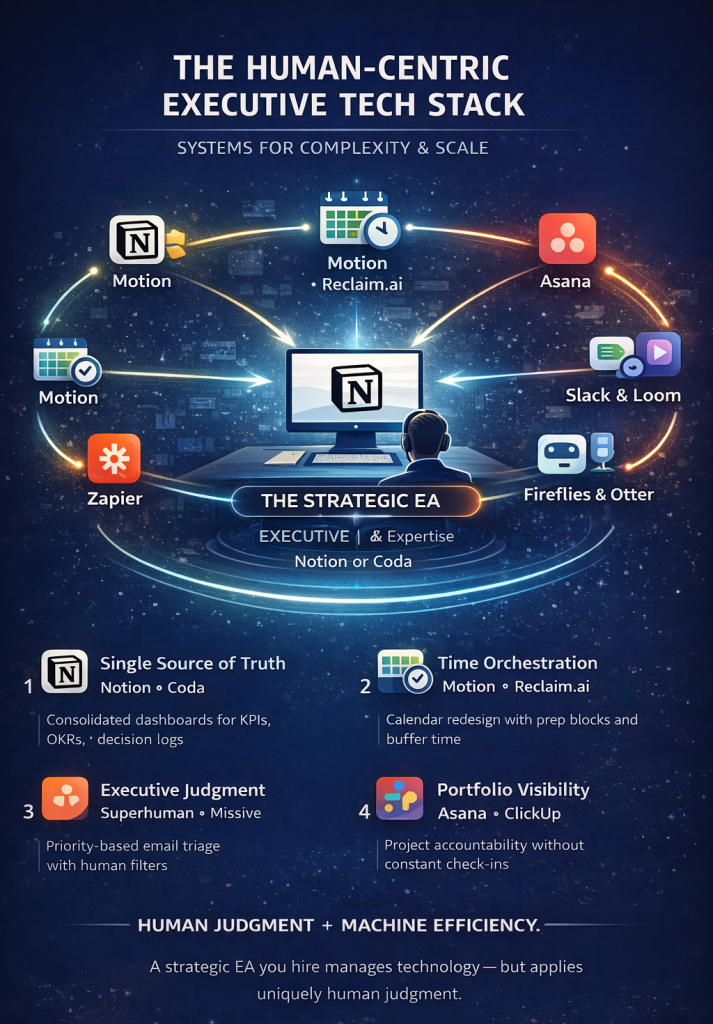
A typical executive tech stack covers six functional categories: knowledge management (Notion or Coda), calendar management (Motion or Reclaim.ai), inbox management (Superhuman or Missive), project oversight (Asana or ClickUp), asynchronous communication (Slack and Loom), and workflow automation (Zapier or Make). Meeting intelligence tools (Fireflies.ai or Otter.ai) and AI writing assistants (Claude or ChatGPT) supplement the core stack. The EA connects all platforms through the automation layer and maintains Notion as the single source of truth. For organizations operating across international jurisdictions, the EA verifies data residency compliance for every AI-enabled tool before configuring it into live executive workflows.
What is a tech stack in simple terms?
A tech stack is the specific combination of software tools, platforms, and integration layers that a person, team, or organization uses to perform their work. In the executive context, the tech stack is the set of applications the EA configures and governs to manage the executive’s communications, calendar, projects, and information flow. The tools in the stack connect through APIs and webhook-driven automation workflows, so that data moves between platforms without manual transfer. The EA maintains the stack, updates integrations as the organization scales, and ensures that the automation layer routes the right decisions to the right people while enforcing the data compliance obligations the organization’s regulatory environment requires.
What is an executive tech stack example?
A concrete executive tech stack example for a 40-person company running an Exec Assistants-placed EA covers: Notion as the knowledge management hub with relational project databases and decision logs, Reclaim.ai with defensive scheduling rules protecting three deep work windows per week, Superhuman with a split-inbox architecture and snippet macro library for routine correspondence, ClickUp with executive dashboard views surfacing only red-status items, Slack with EA-curated channel architecture and configured notification rules, Loom for weekly 6-minute async briefings linked to Notion documentation, and Make connecting the CRM to Notion, ClickUp, and Slack through webhook triggers and JSON parsing workflows. The EA governs every integration through a documented registry and audits the stack quarterly against SLA and compliance requirements.
The executive tech stack performs at the level of the person who governs it. An EA who understands relational database architecture, webhook configuration, split-inbox design, defensive scheduling rules, conditional automation logic, and cross-border data residency obligations builds a system that consistently routes information correctly, automates repetitive workflows, and surfaces only the decisions that genuinely require executive judgment. The tools create the capacity. The EA determines what that capacity produces.